Managing several social media accounts can quickly become difficult when you have to create posts, schedule content, respond to followers, and measure results separately on every platform.
Social media management tools bring these activities together in one place. Depending on your needs, you can use them for scheduling, content creation, team approvals, analytics, engagement, or even social listening.
However, different tools are designed for different types of users. A solo creator may want something simple, while an agency may need detailed reporting and approval workflows.

In this guide, we look at six popular social media management platforms and the features that make each one useful.
Quick Comparison of the Best Social Media Management Tools
| Tool | Best For | Starting Price* |
|---|---|---|
| Buffer | Creators and small businesses that want simple scheduling | From $6/month per channel |
| Planable | Marketing teams that need content collaboration and approvals | From $39/month |
| SocialBee | Businesses looking for AI-assisted planning and content management | From $29/month |
| Canva | Creators who want to design and schedule posts together | From $15/month |
| Hootsuite | Organizations focused on engagement, lead generation, and social selling | From $149/month |
| Sprout Social | Agencies and larger teams that need analytics and social listening | From $249/month |
*Pricing and available plans can change, so check the provider’s website before subscribing.
1. Buffer
Best for creators, freelancers, and small teams that want straightforward social media scheduling
Pricing: Plans start at $6 per month per channel, with a limited free option available.
Buffer is built around making social media publishing easier. You can prepare posts, organize upcoming content, schedule publications, and monitor engagement without managing every platform separately.
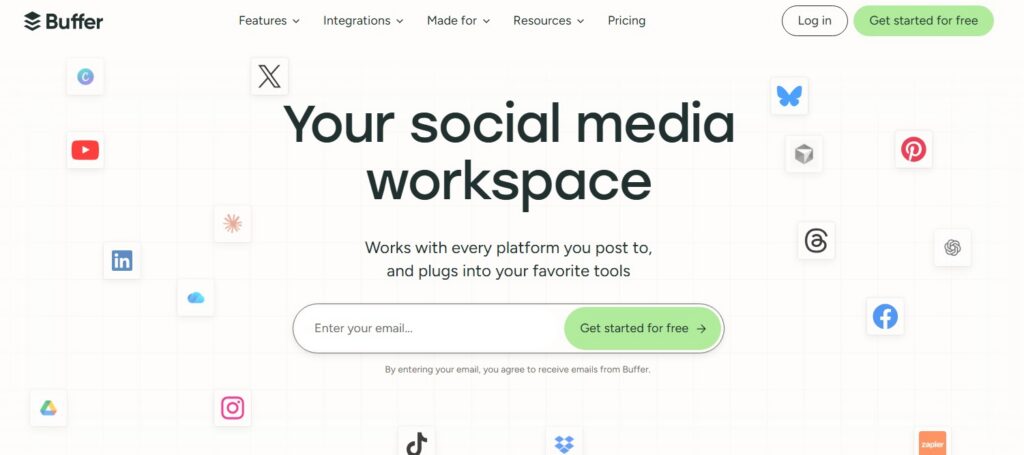
The platform supports networks including:
- TikTok
- YouTube
- X
- Threads
- Google Business Profile
- Bluesky
- Mastodon
One of Buffer’s biggest advantages is its relatively simple workflow.
Organize Ideas Before Publishing
Buffer includes a space where you can collect and organize content ideas before turning them into scheduled posts.
Instead of immediately adding every idea to your publishing calendar, you can keep potential topics in one place and develop them later.
This can be useful when you regularly come up with ideas but do not want to publish them immediately.
You can add notes and supporting material to an idea and then transform it into a social post when it is ready.
Create a Social Media Bio Page
Buffer also provides tools for creating a simple landing page that can be connected to your social media profile.
You can use the page to direct visitors toward:
- Your website
- Blog articles
- Products
- Services
- Podcasts
- Newsletters
- Other important links
This can be particularly useful on platforms where your profile provides limited opportunities for external links.
Maintain a Consistent Posting Schedule
Consistency is one of the biggest challenges for social media marketers.
Buffer allows you to establish publishing schedules so that content can be distributed at predetermined times.
Rather than deciding every day when something should be published, you can create a recurring schedule and add posts to your queue.
This makes Buffer particularly useful for creators and small businesses that want a predictable publishing routine without a complicated social media management system.
Pros and Cons
| Pros | Cons |
|---|---|
| Easy-to-understand interface | Some advanced analytics features are limited |
| Supports multiple social platforms | Advanced team requirements may require higher plans |
| Useful AI-assisted content features | Some features vary by social network |
| Content planning and scheduling in one place | Less comprehensive than enterprise-focused platforms |
2. Planable
Best for marketing teams, agencies, and businesses that need collaborative content planning
Pricing: Plans start at around $39 per month, with a limited free option.
Planable focuses heavily on collaboration. Instead of simply scheduling posts, it provides a shared environment where marketers, designers, clients, and managers can review content before publication.
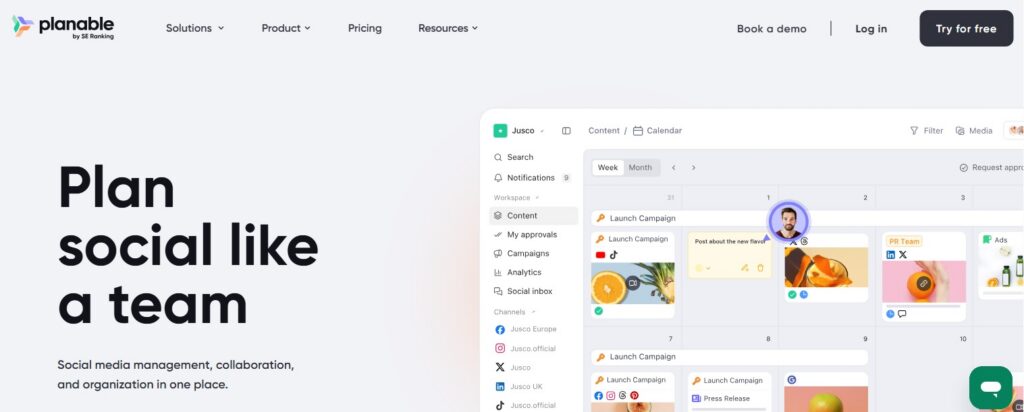
Supported platforms include:
- TikTok
- YouTube
- X
- Threads
- Google Business Profile
Review Content Without Long Email Threads
One of Planable’s useful features is its commenting system.
Team members can leave feedback directly on a piece of content rather than communicating through separate emails or chat messages.
For example, a marketing manager can request a caption change while a designer can suggest an adjustment to the accompanying image.
The feedback remains associated with the content itself.
This can make the review process easier to follow, particularly when several people are involved.
Build Approval Workflows
Planable allows organizations to define different roles and approval stages.
A typical workflow could look like this:
- A writer prepares the caption.
- A designer adds the visual.
- A marketing manager reviews the content.
- A client approves the final version.
- The approved post is scheduled.
Permissions can also be customized depending on the role of each person.
This is useful for agencies managing social accounts for multiple clients.
Plan Multiple Types of Content
Planable isn’t limited to short social media posts.
Teams can also use its workspace to organize other marketing content, such as blog drafts and newsletters.
This provides a central place for reviewing content even when the final publishing process happens elsewhere.
Organize Posts Around Campaigns
Campaign organization is another useful feature.
You can create a campaign for a product launch, seasonal promotion, webinar, event, or another marketing initiative and keep related content together.
For example, a product launch campaign could contain:
- Announcement posts
- Product images
- Promotional videos
- Customer testimonials
- Reminder posts
- Launch-day content
This gives the marketing team a clearer view of how individual posts fit into a larger campaign.
Pros and Cons
| Pros | Cons |
|---|---|
| Strong collaboration features | Some publishing workflows still require external tools |
| Useful approval and permission controls | May be more than a solo creator needs |
| Campaign-based organization | Advanced features can become expensive for larger teams |
| Client-friendly review process | Analytics capabilities depend on connected accounts |
3. SocialBee
Best for businesses that want AI-assisted content planning and automated content recycling
Pricing: Plans start at approximately $29 per month, with a free trial available.
SocialBee combines publishing, content organization, automation, and AI-assisted planning.
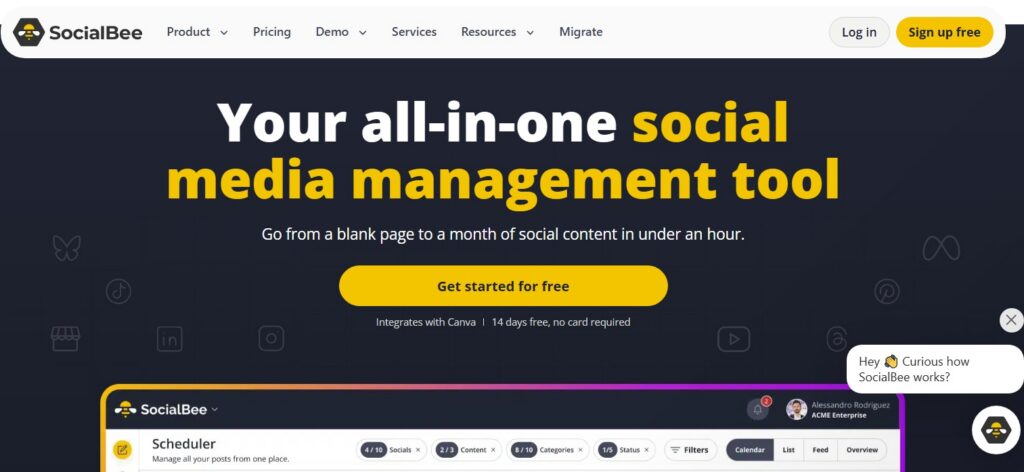
The platform supports networks such as:
- TikTok
- YouTube
- X
- Threads
- Bluesky
- Google Business Profile
Use AI to Build a Content Plan
SocialBee includes an AI assistant that can help users develop a social media strategy.
You provide information about your business, audience, objectives, and preferred channels. The tool can then help suggest content categories and publishing ideas.
For a small business owner who doesn’t have a dedicated social media strategist, this can provide a starting point for organizing a content plan.
The generated content can also be edited before publishing, so you aren’t required to use the AI output exactly as provided.
Recycle Evergreen Content
A useful feature of SocialBee is its ability to reuse evergreen content.
You can place posts into categories and configure certain content to be published again after its initial publication.
For example, evergreen categories could contain:
- Industry tips
- Educational posts
- Frequently used resources
- Customer testimonials
- Quotes
- Older blog articles
This can help keep your publishing queue active without requiring you to create completely new material every day.
Of course, content should only be recycled when it remains accurate and appropriate for your audience.
Convert Articles Into Social Posts
If your business publishes articles regularly, SocialBee can help turn links into social content.
You can provide article URLs and use them as the basis for social posts.
The resulting draft can then be customized with a stronger introduction, relevant hashtags, a call to action, or additional commentary.
This can reduce the amount of manual work required to promote every new article.
Get Additional Social Media Services
SocialBee also offers additional services through its service marketplace.
Depending on the available packages, businesses can obtain help with activities such as:
- Content creation
- Community management
- LinkedIn lead generation
- Blog writing
- Advertising management
This gives businesses the option of combining software with outsourced assistance.
Pros and Cons
| Pros | Cons |
|---|---|
| AI-assisted strategy and content creation | Some advanced functions may require paid plans |
| Evergreen content recycling | Mobile experience may not match the desktop workflow |
| Useful content categorization | AI-generated content still needs human review |
| Link-to-post functionality | Smaller businesses may not need every feature |
4. Canva
Best for creators and small businesses that prioritize visual content
Pricing: Canva’s paid plans start at approximately $15 per month, depending on the plan and billing arrangement.
Canva is primarily known as a design platform, but its social media planning functionality makes it useful for managing visual content as well.
If your social media strategy depends heavily on images, graphics, presentations, videos, or branded templates, Canva can combine design and scheduling in one workflow.
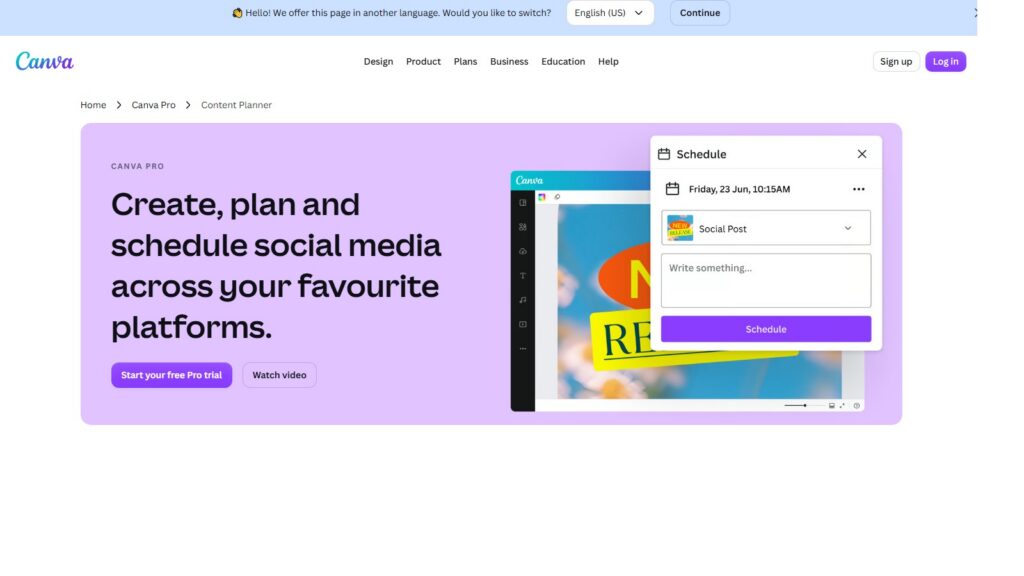
Its social publishing capabilities support platforms including:
- X
- Tumblr
Design and Schedule From the Same Workspace
One major benefit of Canva is that you don’t have to export a design to another application before scheduling it.
You can create a social media graphic and then use Canva’s publishing functionality to select a platform and schedule the content.
This reduces the number of tools involved in the process.
For example, a restaurant could create a promotional graphic for a new menu item, add its caption, select Instagram or Facebook, and schedule the post from the same workspace.
Use Templates for Seasonal Content
Canva provides templates and design resources for various occasions, holidays, and events.
These can help businesses create content around:
- National holidays
- Seasonal promotions
- Awareness events
- Business anniversaries
- Product launches
- Special offers
Instead of starting every design from a blank canvas, you can customize an existing template to match your branding.
Keep Visual Branding Consistent
Another benefit is the ability to reuse design elements.
Businesses can maintain consistent fonts, logos, colors, and other visual assets across their social media content.
This is particularly helpful when several people are responsible for creating social graphics.
Pros and Cons
| Pros | Cons |
|---|---|
| Combines graphic design and social scheduling | Social management features are not as extensive as specialist platforms |
| Large library of templates | Advanced collaboration requirements may require additional features |
| Useful for visual-first brands | Supported networks are more limited than some competitors |
| Easy workflow from design to publishing | Less focused on social listening and engagement management |
5. Hootsuite
Best for organizations that need social engagement, lead generation, and sales-oriented features
Pricing: Paid plans start at approximately $149 per month, depending on the current plan structure.
Hootsuite is a long-established social media management platform designed for organizations managing multiple social channels.
It combines publishing, engagement, analytics, monitoring, and other marketing capabilities.

Supported platforms include:
- TikTok
- YouTube
- X
- Threads
- WhatsApp Business
Automate Certain Instagram Responses
Hootsuite includes automation capabilities that can help businesses respond to specific social interactions.
For example, a company running a promotional campaign could ask users to comment with a particular word to receive additional information.
An automated response can then help deliver the requested information.
This can be useful for campaigns involving:
- Discount codes
- Downloadable resources
- Event registration
- Product information
- Lead magnets
Automation should still be configured carefully so that responses remain relevant and useful to users.
Connect Social Engagement With Sales
For businesses that generate leads through social media, Hootsuite offers integrations with CRM and other business systems.
A social interaction can become part of a broader customer journey rather than remaining an isolated comment or message.
This can help marketing and sales teams coordinate their activities.
For example:
- A potential customer interacts with a social post.
- The team responds through the social inbox.
- The conversation is identified as a sales opportunity.
- Relevant information is transferred to the CRM.
- A sales representative follows up.
This type of workflow can be valuable for organizations where social media contributes directly to customer acquisition.
Manage Multiple Channels From One Dashboard
Hootsuite also provides a centralized environment for scheduling and monitoring multiple accounts.
Instead of opening separate dashboards for each social platform, teams can work from a unified interface.
This can simplify day-to-day management for businesses with several active social channels.
Pros and Cons
| Pros | Cons |
|---|---|
| Strong multi-platform management | Higher starting cost than many alternatives |
| Useful social engagement tools | Some advanced features may be unnecessary for small businesses |
| CRM and business integrations | Can take time to learn |
| Helpful for social selling workflows | Pricing may be difficult for individual creators |
6. Sprout Social
Best for agencies and larger organizations that require detailed analytics, engagement tools, and social listening
Pricing: Plans start at approximately $249 per month, depending on the current plan.
Sprout Social combines publishing, audience engagement, analytics, reporting, and social listening.
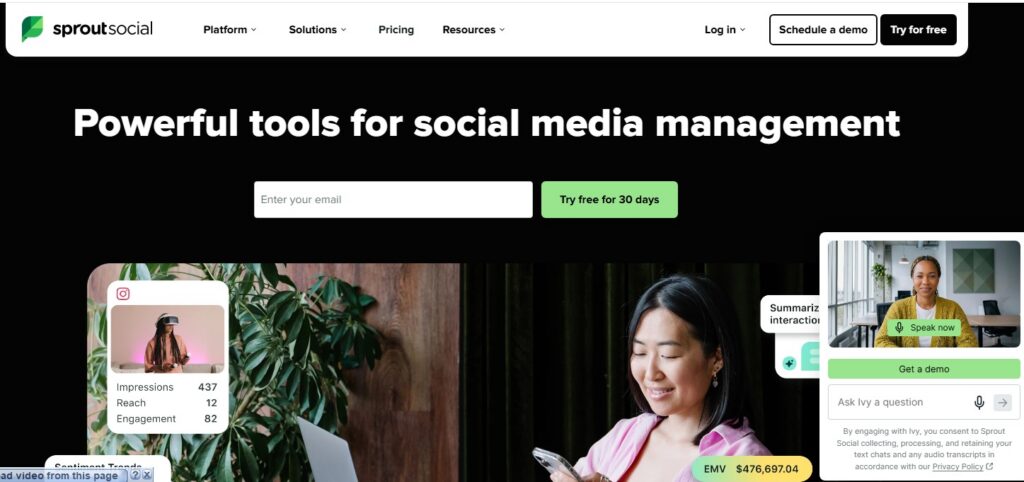
It supports platforms such as:
- TikTok
- YouTube
- X
- Threads
- Google Business Profile
Manage Messages and Mentions in One Inbox
Sprout Social’s Smart Inbox brings conversations from connected social accounts into one workspace.
Depending on the platform, teams can monitor:
- Direct messages
- Comments
- Mentions
- Replies
- Other audience interactions
Team members can assign conversations to colleagues, add internal notes, and organize interactions.
This can be useful for companies where social media is also an important customer support channel.
Analyze Social Media Performance
Sprout Social provides reporting tools for measuring social performance.
Teams can examine metrics across multiple networks or investigate individual profiles.
Reports can include information related to:
- Engagement
- Impressions and views
- Clicks
- Audience growth
- Post performance
- Publishing activity
This makes it possible to compare content and identify patterns in audience behavior.
For example, a marketing team can examine which types of posts generate the highest engagement and use those findings when planning future campaigns.
Measure Individual Post Performance
Detailed post-level reporting can help marketers understand which pieces of content are performing well.
Rather than looking only at an account’s overall numbers, you can investigate individual posts and compare their results.
This can help answer questions such as:
- Which topics generate the most engagement?
- Which formats receive more interactions?
- Which platforms perform best for a particular campaign?
- What type of content should be published more frequently?
Monitor Conversations Across the Web
Sprout Social also provides social listening capabilities.
Businesses can monitor keywords, topics, hashtags, and brand-related conversations to understand what people are discussing.
For example, a coffee company could monitor conversations around terms such as “espresso,” “cold brew,” or its own brand name.
These conversations can reveal potential content topics, customer concerns, and emerging discussions.
Pros and Cons
| Pros | Cons |
|---|---|
| Extensive analytics and reporting | Expensive compared with basic scheduling tools |
| Social listening capabilities | May be excessive for individuals |
| Centralized engagement management | Large feature set can require training |
| Useful for agencies and larger teams | Cost can increase as teams and requirements grow |
How to Choose a Social Media Management Tool
There is no single tool that fits every social media workflow.
Start by considering what you actually need from the platform.
For Simple Scheduling
If your main goal is to schedule posts and maintain a consistent publishing routine, Buffer may provide the functionality you need without an overly complicated workflow.
For Team Collaboration
If multiple people review, edit, and approve social content, Planable is designed around collaborative content workflows.
For AI-Assisted Planning
Businesses looking for assistance with content planning and social strategy can consider SocialBee, particularly if content recycling is part of their workflow.
For Visual Content
If designing social media graphics is a major part of your work, Canva combines design tools with content scheduling.
For Social Selling
Organizations that connect social activity with sales and customer relationships may find Hootsuite useful because of its engagement and integration capabilities.
For Analytics and Social Listening
Larger teams and agencies that need detailed reporting, audience engagement management, and social listening can consider Sprout Social.
Final Thoughts
Social media management software can reduce the amount of manual work involved in running multiple social channels, but the right choice depends on your workflow.
A creator who mainly needs scheduling may not need the extensive analytics offered by an enterprise platform. Similarly, an agency managing several clients may require collaboration, approval, reporting, and engagement features that a basic scheduler doesn’t provide.
Before choosing a platform, consider the number of social accounts you manage, the size of your team, the type of content you publish, your reporting requirements, and your budget.
It is also worth taking advantage of free plans or trials where available. Testing a tool with your actual publishing workflow can give you a much clearer idea of whether it fits your requirements than comparing feature lists alone.

Reach me through WhatsApp: +91-7838150833
- 6 Best Social Media Management Tools (Tested & Reviewed) - September 25, 2026
- Why Guest Posting Still Matters for Growing Your Online Presence - September 19, 2026
- 200+ Handpicked Guest Posting Sites To Submit Guest Posts - September 19, 2026
Related posts:
 Secrets To Increase Facebook Reach in 1 Month
 How To Get More Subscribers On YouTube
 Tricks To Rank YouTube Videos
 Top 5 Blogging Platforms for your blog in 2019
 Guide To Create a Sitemap For WordPress Blog
 How To Get Started With Affiliate Marketing
 How Can We Use AI In Digital Marketing?
 Video Content vs Written Content: Benefits of video content over written content